Introduction
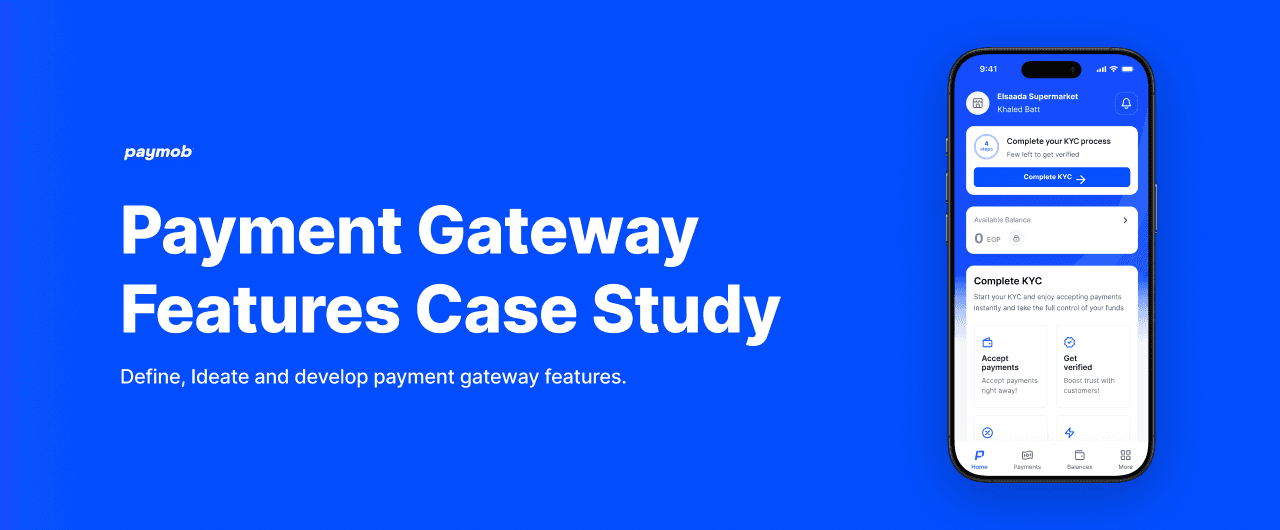
Paymob is one of the leading payment infrastructure providers in Egypt and the MENA region, serving over 390,000 merchants across retail, e-commerce, and small businesses. They give merchants the tools to accept payments, manage transactions, and track their funds all from one app.
Goal
Identify the core experience gap in the Paymob merchant app and design a feature that helps small business owners in Egypt actually understand their business performance not just see their transactions.
My Role
In this project I took on the role of both product designer and researcher. I audited the existing merchant experience, conducted guerrilla research with real merchants in Cairo, defined the opportunity, and designed the solution end to end.
Emphasize
Research
- Audit the existing Paymob merchant app screen by screen
- Conduct market research and competitor analysis across payment tools in Egypt
- Identify what merchants actually need versus what the app currently offers
- Determine the design opportunity based on real gaps in the market
UX Audit
16 screens analyzed · 4 sections · severity mapped
Link to the full audit page →
Paymob Merchant App - UX Audit
Open the full breakdown in a dedicated view.
Market Research
I analyzed 4 merchant-facing payment apps in the Egyptian market:
- Paymob
- Geidea
- My Fawry
- Kashier
| Feature | Paymob | Geidea | My Fawry | Kashier |
|---|---|---|---|---|
| Mobile merchant app | Available | Available | Available | Not available |
| Transaction history | Available | Available | Available | Not available |
| Balance breakdown | Available | Not available | Not available | Not available |
| Plain-language summaries | Not available | Not available | Not available | Not available |
| Actionable business insights | Not available | Not available | Not available | Not available |
| Payout timeline | Not available | Not available | Not available | Not available |
| Customer credit ledger | Available | Not available | Not available | Not available |
| Arabic-first UX | Partial | Partial | Available | Not available |
Core Gap Identified
After analyzing all four competitors, one thing was missing across every single app:
- Plain-language business summaries
- Actionable daily insights
- Payout transparency for merchants
- Business performance trends over time None of them tell merchants what their data actually means.
User Research
- Conducted face-to-face interviews with 8 merchants across Cairo
- Target: supermarkets, pharmacies, small kiosks, restaurants and e-commerce
- Location: Maadi.
- Method: casual conversations during quiet hours, no formal setting, no clipboards. View the survey →
Findings
After conducting 8 user interviews here’s the key findings: View the responses →
Key Findings
- Merchants don't use the app to understand their business. They rely on cash counting, receipts, or notebooks.
- Nobody can see a daily or weekly summary in one place. They either guess or don't check at all.
- Cash flow visibility and payment timing are the two most common daily frustrations.
Proposed Design Direction
- Business Pulse: A plain-language daily summary on the home screen
- Payout Timeline: Clear visibility of when money reaches the bank
- Smart Alerts: A notification when something unusual happens in daily revenue
Define
After the research it was clear who I was designing for. Not a finance team. Not a tech-savvy startup founder. A self-made merchant in Cairo whose shop is their only source of income and who opens a payment app hoping to understand their day, not decode it.
How Might We
How might we help a Cairo merchant understand how their business performed today - in plain language, in under 10 seconds, without needing any financial knowledge?
Initial sketches were created to outline the basic structure and flow of the feature:
- Business Pulse home card
- Daily summary expanded view
- Peak hours chart
- Payout timeline indicator
Initial sketches created to outline the structure and flow of the Business Pulse feature across three key screens → Home, Expanded view, and Balances.
Prototype
Before jumping into the designs I needed to define exactly what Business Pulse is, why I chose to design it, and what it needs to do for a merchant on a daily basis.
Business Pulse (Daily merchant intelligence)
Description: A plain-language business summary that lives on the Paymob home screen and gives merchants a clear picture of how their business is doing without needing to read a single raw number or open the web dashboard.
Key Points:
- Activates after 30 days of transaction history.
- Updates every day automatically no input needed from the merchant.
- Compares today's performance to the same day last week.
- Shows peak trading hours based on actual transaction timestamps.
- Displays the exact payout date so merchants always know when money arrives.
- Lives on mobile bringing what currently only exists on desktop to where merchants actually are.
Payout Timeline (Know when your money arrives)
Description: A clear indicator on both the home screen and the Balances screen showing the exact date a merchant's settled funds will reach their bank account in plain language, not financial jargon.
Key Points:
- Shown as a plain date, "Arrives Thursday Apr 3", not a settlement cycle number.
- Progress bar shows how far along the payout process is.
- Visible on both the home screen metric card and the Balances screen.
- Removes the most common source of merchant anxiety identified in the audit.
Business Pulse (Expanded View)
Description: A dedicated screen that opens when a merchant taps the Business Pulse card showing the full daily intelligence breakdown in one place.
Key Points:
- Plain-language summary card at the top one sentence that tells the merchant how their day went.
- Peak hours bar chart with darker bars indicating the busiest trading hours.
- Payout timeline with exact arrival date and progress indicator.
- Week-on-week comparison showing this week vs last week in EGP and percentage.
Payments (Redesigned)
Description: A redesigned payments screen that shows daily totals at the top before the transaction list solving the most critical gap identified in the audit where merchants had no way to see their revenue at a glance.
Key Points:
- Daily summary card shows total EGP collected and number of transactions for the day.
- Empty state guides new merchants with a clear CTA instead of a dead-end message.
- Week filter with visible date range so merchants always know what period they're looking at.
- Each transaction row shows payment type, timestamp, amount, and success status.
Conclusion and Next Steps
1. Prototype Testing
- Conduct usability testing with 5 to 8 merchants across Cairo (supermarkets, small stalls, and restaurants).
- Measure whether merchants can find their daily revenue, peak hours, and payout date within the first 30 seconds of opening the app.
2. Refine Features
- Iterate on the Business Pulse card based on merchant feedback specifically around language and whether the plain-language summary resonates with non-technical users.
- Decide what gets shipped in v1 vs what moves to a future update based on engineering complexity and merchant priority.
3. Launch Strategy
- Roll out Business Pulse first to merchants with 30 or more days of transaction history this is the segment that will see the most immediate value.
- Use the existing Paymob merchant app update channel to announce the feature no new acquisition needed, this serves the 390,000 merchants already on the platform.
4. Performance Metrics
- Business Pulse card tap rate are merchants engaging with it or ignoring it.
- Daily active usage on mobile vs web dashboard does mobile engagement increase after the feature ships.
- Support ticket volume related to payout timing does it drop after the payout date is made visible.
- Week 4 retention for new merchants does the empty state redesign reduce early drop-off.