Introduction
Goal
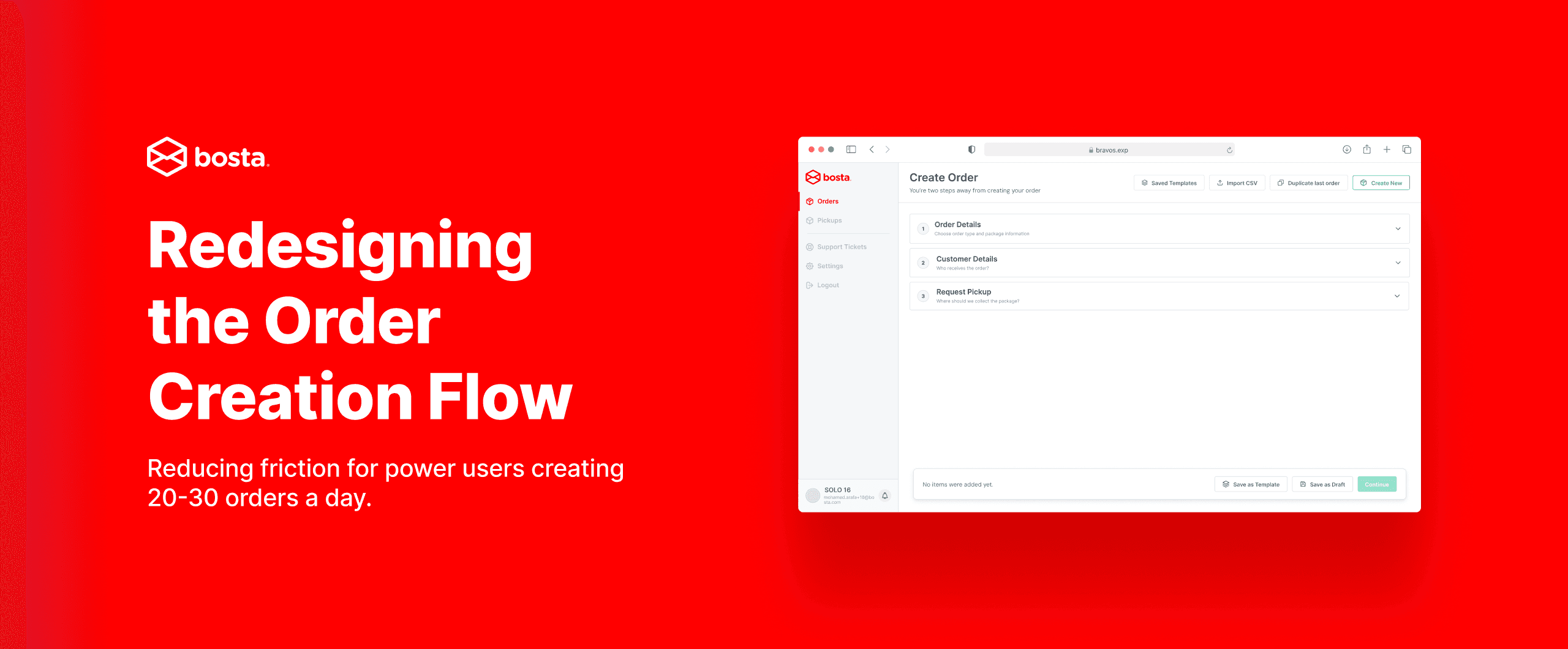
Redesign the order creation flow to reduce the time and effort it takes for power users to create an order, Making the process faster, less repetitive, and less mentally exhausting without introducing new complexity or risk of errors.
My Role
In this project I worked as both the UX researcher and product designer. I audited the existing flow, mapped the user journey, identified 10 specific UX and efficiency issues, and redesigned the complete order creation experience from the ground up.
Emphasize
Research
- Analyzed the existing 3-page order creation flow end to end.
- Mapped the emotional journey of a power user across all 7 phases of order creation.
- Identified all points of friction, repetition, and unnecessary navigation.
- Defined the core design opportunity based on the gap between what the flow demands and what a power user actually needs.
The problem in numbers
The current flow requires a user to complete 3 full page navigations, press 3 separate Next or Submit buttons, and re-enter the same information from scratch for every single order. For a merchant creating 30 orders in a session that is 90 unnecessary page loads and up to 90 button clicks before any real work is done.
Market Research
I looked at how other order management and logistics tools handle multi-step form flows to understand whether the 3-page wizard was an industry standard or an outlier.
- Shopify
- WooCommerce
- Aramex
| Product | Approach | Page navigations | Autofill |
|---|---|---|---|
| Bosta (current) | 3-page wizard | 3 | None |
| Shopify Orders | Single page | 0 | Yes |
| WooCommerce | Single page | 0 | Yes |
| Aramex Business | Multi-step | 2 | Partial |
Every modern order creation tool has moved away from page navigation. Bosta was the outlier not the standard. This confirmed that the accordion single-page approach was not just a preference but the direction the market had already validated.
Define
After mapping the journey it was clear who I was designing for. Not an occasional user placing one order a week. A power user who opens the dashboard every morning and needs to get through 20 to 30 orders as fast as possible with zero mistakes.
How Might We
User Journey Map
To understand exactly where frustration peaks I mapped Ahmed's full emotional journey across all 7 phases of the current order creation flow from opening the dashboard to finally submitting the order.
UX Issues Identified
Before jumping into the solution I documented every problem in the existing flow. I found 10 distinct issues across three categories (flow problems, efficiency problems, and visual layout problems).
10 problems across 3 categories
4 flow problems · 3 efficiency problems · 3 visual layout problems
Link to full audit →
UX Issues Identified
Open the full breakdown in a dedicated view.
The Design Decision
This is where the case study diverged from the obvious answer. The brief suggested a single page. The most common solution for multi-step forms is either a modal or a full single page that shows all fields at once. I considered both and killed them.
A modal creates a contained experience but limits screen real estate and makes scanning difficult when you have a two-column package layout that needs space to breathe.
A full single page showing all fields simultaneously was the direction I came closest to shipping. I killed it because for a user creating 30 orders a day, a wall of 20 fields creates visual fatigue before they have typed a single character. It also increases the risk of filling the wrong field because everything competes for attention at the same time.
The accordion solved all of it. Sections expand one at a time, completed sections collapse into a clean summary row, the user always knows where they are in the flow, and they never navigate away from the page. Zero page reloads. One final submit. Full context always visible in the collapsed sections above.
Prototype
Before building the screens I defined exactly what the redesigned flow needed to do and what new shortcuts it needed to introduce for power users.
Empty state (accordion overview)
When a user lands on Create Order they see all three sections collapsed on a single page. No content is hidden behind a page navigation. The full structure is visible immediately.
Key Points:
- Zero page navigations per order.
- Completed sections collapse to a summary row showing key details at a glance.
- Floating Continue bar always visible no scrolling to find the Next button.
- Duplicate last order shortcut at the top pre-fills everything from the previous order in one click.
Order Details (Exchange flow)
Order type selection redesigned as compact horizontal tiles instead of large illustrated cards, 60% less vertical space. Cash exchange amount expands inline inside the Exchange tile when selected.
Key Points:
- Compact tiles use 60% less vertical space than the original cards.
- Cash exchange field expands inline contextually attached to the Exchange selection, no scrolling required.
- Package Details and Return Package Details have color-coded badges. Red for Outgoing, blue for Return.
- Stepper controls replace free text number entry for item counts.
Customer Details (autofill from history)
A search bar at the top lets Ahmed find any past customer by name or phone and autofills all their details instantly.
Key Points:
- Search past customers by name or phone autofills all fields in one action.
- Recent customers shown by default so repeat orders take seconds.
- All fields remain editable after autofill for one-off changes.
- Saves 30 to 60 seconds per order for returning customers.
Request Pickup (merged into the accordion)
Pickup selection is now Section 3 of the same page. No new page, no reload. Saved locations shown as radio cards.
Key Points:
- Zero page navigations stays on the same URL throughout the entire flow.
- Saved pickup locations shown as selectable cards, not a dropdown.
- Live order summary bar at the bottom updates in real time as sections are completed.
- One final Create Order button the only submit action in the entire flow.
Success screen
Clean confirmation showing order ID, type, customer, and destination with two immediate next actions.
Key Points:
- Order details confirmed at a glance no need to go back and check.
- Print Air Waybill prompt shown immediately so merchants don't miss it before pickup day.
- Two clear actions: Create More Orders or View Orders, no dead end.
Conclusion and Next Steps
1. Usability Testing
- Test the accordion flow with 3 to 5 power users who create 20 or more orders per session.
- Measure time-on-task per order in the redesigned flow vs the original 3-page flow.
- Watch specifically for whether users understand that completed sections collapse and can still be edited.
2. Refine Based on Testing
- Iterate on the customer autofill interaction does search or a recent customers list work better as the default state.
- Validate whether the color-coded package column badges eliminate cross-column errors in practice.
3. Measure Impact
- Average time to create one order target reduction from current baseline.
- Error rate per order specifically wrong-column entries in the Exchange flow.
- Autofill usage rate what percentage of orders use customer search vs manual entry.
- Duplicate last order usage rate does the shortcut actually change behavior for power users.
4. Future Improvements
- Bulk order creation for users whose entire daily batch shares the same pickup location and package type.
- Saved order templates one click to load a frequently used order configuration.
- CSV import experience already exists in the nav bar, worth investing in the full flow.