Introduction
I didn't build Flux because I spotted a gap in a spreadsheet. I built it because I watched people around me “smart, capable people” feel genuinely lost about their own money. Not because they weren't paying attention. Because the tools they had made it harder to understand, not easier.
Most banking apps present you with data. Transactions, balances, account numbers. They give you the raw material but none of the story. You end up knowing your balance without understanding your spending. You see the number without knowing if it's good or bad or what to do about it.
I wanted to design something different. A personal finance app that treats financial clarity as the product, not a feature buried three taps deep. That was the starting point for Flux.
Goal
Design a mobile-first personal finance app for young professionals in Egypt and the Gulf that makes spending feel understandable, sending money feel effortless, and the home screen feel like a daily check-in rather than a chore.
My Role
End-to-end product design. User research, persona definition, competitive analysis, information architecture, sketches, and a full hi-fi prototype built in Figma. Self-initiated from scratch.
Emphasize
The issue is not that people don't care about their money. Most people care quite a bit. The issue is that their banking apps have trained them to stop looking. The interface is overwhelming, the data is raw, and nothing feels designed for someone who just wants to know if they're doing okay this month.
In Egypt and the Gulf, the problem is sharper. Instapay and Vodafone Cash solve the transfer problem but add zero financial visibility. Traditional bank apps have dashboards built for desktop in the 2000s, now squeezed onto a phone screen. There is no product that sits in the middle and says: here is what your money is doing, in plain language, in one place.
Research
- The average Egyptian banking app requires 4 to 6 steps to complete a money transfer.
- Most local banking apps offer no spending categorization or visual analytics on mobile.
- Instapay and Vodafone Cash are widely used for transfers but offer no financial overview whatsoever.
- Users aged 21 to 35 report the highest dissatisfaction with banking app UX across MENA.
- Global fintech benchmarks from Revolut and N26 show that simplified mobile-first design directly correlates with daily app engagement.
The problem in numbers
I ran a survey with 15 real digital banking users, mostly in Cairo with some in the Gulf, recruited through my personal network via Google Forms. The stats below come directly from their responses. The responses told a consistent story.
Market Research
I analyzed 3 apps in the market:
- Traditional Banks (CIB / NBE)
- Vodafone Cash / Instapay
- Revolut / N26
| Feature | Traditional Banks (CIB / NBE) | Vodafone Cash / Instapay | Revolut / N26 | Flux |
|---|---|---|---|---|
| Spending analytics | Transaction list only | None | Detailed, visual | Visual, simplified |
| Send money steps | 4 to 6 steps | 3 to 4 steps | 2 to 3 steps | 2 steps |
| Request money | Complex or unavailable | Limited | Yes, link-based | Simple link + QR |
| Home screen clarity | Low, cluttered | Very low | Medium | High |
| Mobile-first design | No | Partial | Yes | Yes |
| Designed for Egypt/Gulf context | Yes | Yes | No | Yes |
| Financial language | Technical jargon | Minimal | Clear | Plain language |
The picture is straightforward. International products like Revolut get the UX right but are not built for the Egyptian or Gulf user. Local products solve the transfer problem but ignore everything else. No product in this market gives young professionals a calm, clear view of their own financial life.
That is the specific space Flux occupies.
User Research
- Conducted a survey with 15 digital banking users in Egypt and the Gulf.
- Target: young professionals aged 21 to 35 who use mobile banking or payment apps regularly.
- Location: Cairo, with additional respondents from the Gulf.
- Method: Google Form distributed through personal networks, designed to surface behavioral patterns around spending, tracking, and app usage. **Survey Link: **Flux - User Survey
Findings
After conducting 15 survey responses, here are the key findings:
**Responses link: **Flux - Responses
Key Findings
- Users don't avoid their finances because they're irresponsible. They avoid them because the experience is punishing.
- The send and request flows in current apps create friction at the exact moment users need speed.
- There is a clear appetite for visual, categorized spending data but no local product delivering it simply.
- Trust in a finance app is tied directly to how clear the information feels confusion creates avoidance.
- The frequency of app opens drops sharply when the experience feels overwhelming rather than informative.
Proposed Design Direction
- Frictionless Send and Request: A contact-first, step-by-step flow that removes every decision except the one you are making right now.
- Plain-Language Analytics: A spending summary that reads like a signal, not a ledger, category breakdown, weekly trend, no financial jargon.
- Home Screen Clarity: One screen that answers the four questions every user has when they open a finance app: how much do I have, where is it, what can I do, what happened recently.
Define
After the research it was clear who I was designing for. Not a finance expert. Not someone who enjoys tracking spreadsheets. A young professional in Cairo whose salary comes in, whose money goes out, and who has no clear picture of what happened in between because every app he's tried has made understanding his own money feel harder than it should be.
How Might We
Sketches
Before opening Figma I sketched nine screens on paper. The goal was to figure out what information each screen needed to carry and in what order. I was especially focused on the home screen and the send and request flows, since those were the two problems I was most committed to solving.
The sketches helped me make a key early call: the home screen had to do real work. Not just show a balance. It needed to show recent activity, surface the right actions, and feel calm doing all of it. I went through three versions of the home layout before landing on what became the final structure.
The Design Decision
What I Considered
The natural instinct for a send money flow is to put everything on one screen. Recipient field, amount field, note field, method selector. One form, one submit button. Most apps do exactly this. It looks efficient on paper.
What I Killed and Why
The single-form approach creates a hidden problem. When you open a send screen and see four empty fields at once, your brain doesn't know where to start. You worry about the amount before you've confirmed the recipient. You second-guess the note field. The cognitive load is highest at the exact moment you want to move fast.
This is the frictionless principle behind Flux: remove every decision except the one you are making right now. The flow feels shorter even though it technically has more screens, because you are never paralyzed by options. You just move forward.
The same logic applies to the Request flow. Pick the method first: payment link, QR code, or balance sharing. One decision. Then the details. Then success.
Prototype
Before jumping into the screens I needed to be clear about what Flux is actually solving and what it is not. It is not a full banking replacement. It is not a budgeting tool with goals and gamification. It is a focused product that does three things well: shows you where you stand, lets you send and request money without friction, and gives you a visual summary of your spending that you can actually read. Every screen was designed around that scope. Nothing more.
Onboarding
The onboarding screen had one job: make the user feel like this is a different kind of financial app. Not a bank. Not a utility. Something that's actually on their side. The background uses a gradient that moves from deep navy to a lighter blue.
The headline "Stay on Top of Your Spending" is the first thing you read. Below it, a short line of supporting copy. Then two clear CTAs: Get Started and Login. No feature carousel. No permissions wall. No benefits list. Just a clean entry point that sets the visual tone for everything that follows.
Key Points:
- Full-bleed gradient background establishes the visual language of the app in the first second.
- Single value proposition headline. The message takes priority over the brand name.
- Two-button entry: Get Started for new users, Login for returning users.
- No onboarding carousel → one screen, one decision, move forward.
Home Screen
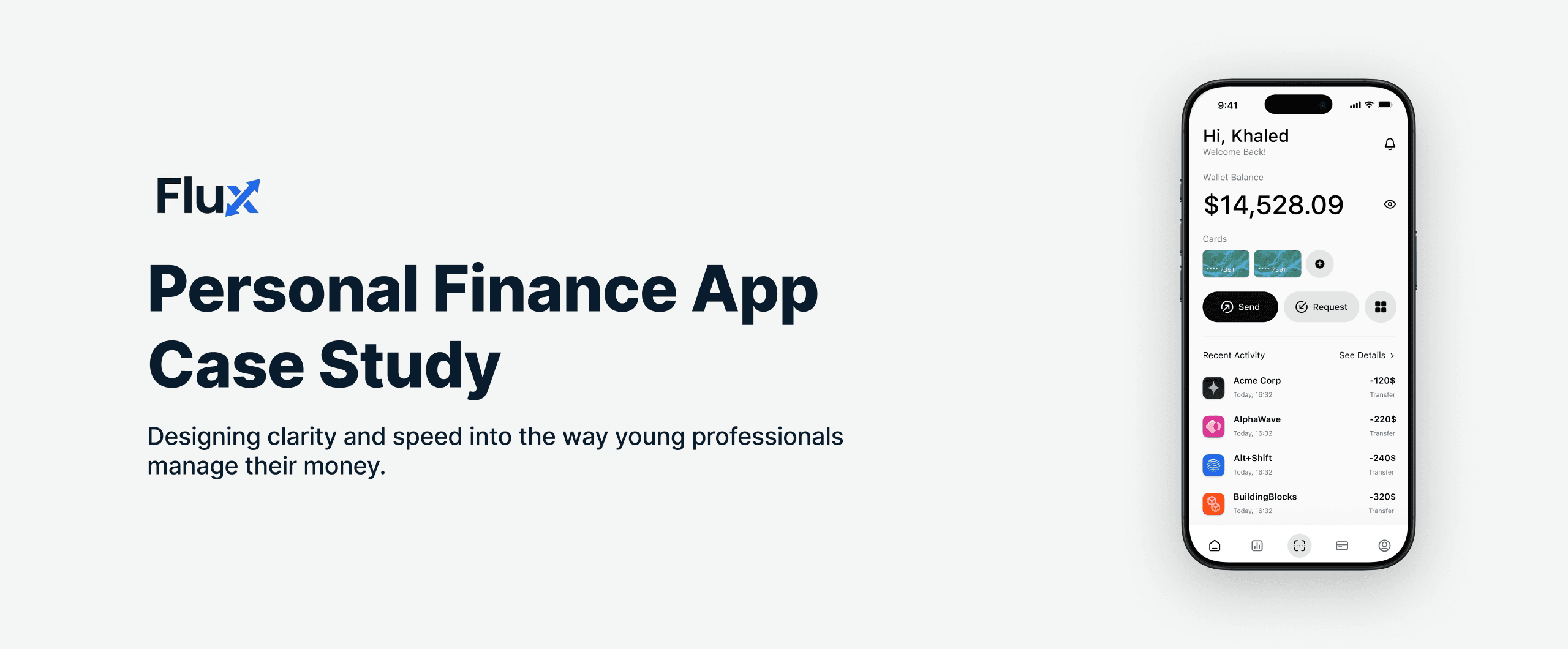
The home screen is the most important screen in the app. Everything I believed about financial clarity had to prove itself here. The challenge was real: show a full wallet balance, recent transactions, linked cards, and a quick action bar without it feeling like a dashboard built for someone who works at a bank.
The answer was hierarchy. The balance is the biggest element on screen. Below it, the cards strip shows linked accounts at a glance. Then the action bar: Send and Request, the two most frequent actions, center stage and thumb-reachable. Below that, recent activity in clean rows with company names, amounts, and directional color coding. The entire screen is readable in under ten seconds.
Key Points:
- Wallet balance in the largest type on screen, the most important number gets the most visual weight
- Hide Balance button lets users check the app in public without exposing their full balance.
- Cards strip shows linked accounts inline, no separate tab needed for basic account info.
- Send and Request are above the fold, always visible, always one tap away.
- Recent Activity rows use company names instead of transaction codes making it readable by anyone.
- Navigation bar at the bottom: Home, Analytics, Cards, and two secondary tabs.
Request Flow
The request flow is built around one principle: decide the method before the details. In most apps you fill in the amount first, then figure out how to share the request. That order is backwards.
Flux asks you to pick how you want to request money first (payment link, QR code, or balance sharing) then takes you to the details. The form has two fields: amount and an optional note. Nothing else. The success screen confirms the link was created, shows the amount, and gives you one tap to copy it straight to your clipboard.
Key Points:
- Bottom sheet modal keeps spatial context → the user knows they're still inside the app.
- Method-first flow: pick how you want to request before filling in any amount.
- Three options as clear icon-backed rows, no guessing what each one does.
- Two fields only on the details screen: amount and optional note.
- Confirm button is disabled until a valid amount is entered.
- Copy Link on the success screen puts the link on the clipboard in one tap making it ready for WhatsApp.
Send Flow
The send flow starts with the contacts list, not an amount field. Pick who you are sending to first. Everything else comes after. Once the contact is confirmed the amount screen takes over a full-screen number pad, the recipient's name locked at the top as a persistent reminder, and the current balance shown softly below the input.
The Send button activates only when a valid amount is entered. When the transfer completes the screen goes full green (the only screen in Flux with this treatment) as a clear, distinct beat of positive feedback.
Key Points:
- Contact-first order removes the anxiety of committing to an amount before the recipient is confirmed.
- Search bar handles large contact lists, no need to scroll through everyone.
- Recipient name stays on screen throughout the amount entry, no chance of sending to the wrong person.
- Full-screen number pad reduces errors → large tap targets, no keyboard switching.
- Current balance shown as a soft reference, not a warning state.
- Full green success screen creates a distinct completion moment that’s used nowhere else in the app.
Analytics Screen
The analytics screen gives Omar the one thing he said he never had: a visual summary of where his money went. Weekly spending at the top with a trend badge showing directional change from last week. Monthly expenses below it with a month selector. An area chart showing the spending curve across the period. And at the bottom, a category breakdown (Medication, Utilities, Food) named in plain language with amounts beside them. No jargon. No codes. Just the information he needs to know if this month is going well or not.
Key Points:
- Weekly and monthly spending as two clear numbers, no calculation required from the user.
- Trend badge next to the weekly amount shows directional change at a glance.
- Category breakdown uses plain language: Medication, Utilities, Food → not bank category codes.
- Month filter at top right for period comparison without leaving the screen.
Cards Screen
The Cards screen handles linked payment cards and bank accounts. The empty state shows a clear placeholder card and a prompt to add one, not a blank page. Below it, two methods to add: Scan Card for speed, Enter Manually for precision. The Add Card button is fixed at the bottom, always accessible. This screen does one thing and does it cleanly, It handles card management without adding analytics, history, or anything else to the same view.
Key Points:
- Empty state shows a placeholder card → the user immediately understands the purpose of the screen.
- Two add methods: Scan Card for speed, Enter Manually for precision.
- Add Card button fixed at the bottom → always visible without scrolling.
- The screen is intentionally minimal → one task, handled well.
Outcome
Flux ended as a complete design for a product that does not exist yet, but the problem it solves is real and the people it is designed for are real. Every screen was built to address a specific moment of friction in how a young professional in Cairo interacts with his money.
The app feels calm because it was designed to answer the questions Omar actually has (am I okay this month, who do I owe, how do I send this quickly) not just to display financial data attractively.
The visual language supports the product. Light, clean, and readable without being clinical. A finance app that feels like it is on your side rather than one you have to decode.
What I would do next
1. Usability testing with 8 to 10 young professionals
- Test with 8 to 10 young professionals in Cairo who use Instapay or a local banking app daily.
- Watch specifically how they navigate the send flow, does contact-first feel natural or do they look for an amount field first.
- Measure whether the home screen answers all four questions within 10 seconds of opening.
2. Notification system
- Design a pattern-based alert system "you are on track to spend 3,000 EGP on food this month" rather than individual transaction pings.
- The notification is the feature that turns the app from something you open reactively into something you engage with daily.
3. Budget setting
- Add a monthly budget per category tied directly to the Analytics screen.
- The user sets a limit on Food or Utilities and the app tells them where they stand against it without any extra navigation.
4. Performance metrics to track
- Daily app opens → are users checking Flux every morning or only when something feels wrong.
- Send flow completion time → how long from tapping Send to the green success screen compared to their current app.
- Analytics tab engagement → are users reading their spending summary or skipping it entirely.
- 14-day retention → does the user come back after the first week.