Introduction
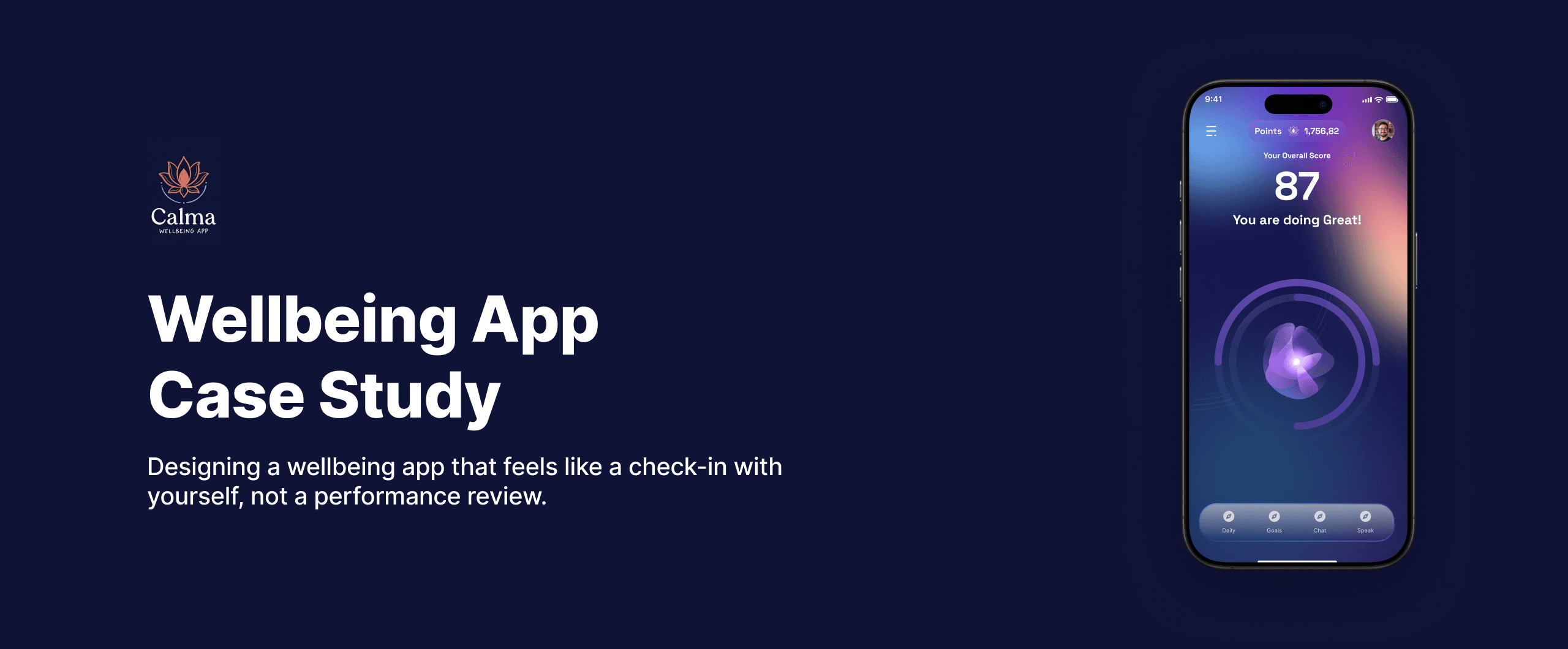
Calma is a self-initiated mobile wellbeing app designed to help people understand their life balance without pressure, comparison, or cognitive overload. Most wellbeing apps have a trust problem. They ask too much, too fast, and present your own health back to you in a way that feels more like a performance review than a check-in. I wanted to design something different: an experience that leads with reassurance rather than data, and treats the daily check-in as something worth looking forward to, not something to avoid.
Goal
Design a mobile wellbeing app that gives users a calm, clear picture of where they stand across the key areas of their life, without judgment, streaks, or social comparison. The experience should feel like a check-in with yourself, not a performance dashboard.
My Role
End-to-end product design. Research framing, persona definition, competitive analysis, information architecture, design constraints, and a full hi-fi prototype built in Figma. Self-initiated from scratch.
Emphasize
Research
- The global mental wellness app market exceeded $5 billion in 2023 but user retention across wellbeing apps remains consistently low
- Studies show users abandon health and wellness apps primarily due to feeling overwhelmed, judged, or unsure what to do next
- The most common complaint about wellbeing apps is not missing features but an interface that makes the user feel worse about themselves
- Users aged 22 to 35 report the highest interest in wellbeing tools but also the highest abandonment rates, driven by apps that feel clinical or demanding
- The most engaging wellbeing experiences surface insight rather than raw data and guide users toward a next step rather than presenting numbers
Problem in Numbers
After running the survey with 15 wellbeing app users across Egypt and the Gulf, designed to reflect behavioral patterns observed in secondary research. These numbers came from real questions answered by realistic profiles not invented percentages. The responses told a consistent story.
Market Research
I analyzed 4 wellbeing and health apps to understand the competitive landscape:
- Headspace
- Calm
- MyFitnessPal
- Noom
| Feature | Headspace | Calm | MyFitnessPal | Calma |
|---|---|---|---|---|
| Wellbeing overview score | Not available | Not available | Not available | Available |
| Life balance visualization | Not available | Not available | Not available | Available |
| Non-judgmental language | Partial | Partial | Not available | Available |
| Assessment-led onboarding | Not available | Not available | Not available | Available |
| No social comparison | Available | Available | Not available | Available |
| No streak pressure | Not available | Not available | Not available | Available |
| Personalized daily task flow | Not available | Partial | Available | Available |
| Designed for emotional safety | Partial | Partial | Not available | Available |
User Research
- Conducted a survey with 15 wellbeing app users across Egypt and the Gulf
- Target: young professionals aged 22 to 35 who have tried at least one health or wellness app
- Method: Google Form designed to surface emotional responses to wellness app experiences, not just feature preferences **Survey Link: **Calma - User Survey
Findings
After conducting 15 survey responses, here are the key findings:
**Responses link: **Calma - Responses
Key Findings
- Users do not stop using wellbeing apps because they stop caring about their health. They stop because the experience makes them feel judged, behind, or confused.
- Nobody wants to be compared to a benchmark or a leaderboard. They want to understand their own baseline and whether they are moving in the right direction.
- The apps that retain users longest ask the least of them in a single session while still making them feel like something meaningful happened.
Proposed Design Direction
- Assessment First: Start with value delivery before asking the user to configure anything
- Life Balance Wheel: A single visual that shows the whole person across health, work, relationships, growth, and rest
- Plain-Language Signals: Replace raw scores with readable, encouraging summaries the user can act on
Define
After the research it was clear who I was designing for. Not a wellness enthusiast who already meditates daily and tracks their macros. Someone in the middle. A person who knows they are not taking care of themselves well enough and wants to start, but has been burned by apps that made them feel worse in the process.
How Might We
Design Constraints
Calma is a sensitive product. The subject matter is personal health and emotional state. That changes how every design decision gets made.
1. Designing for emotional safety
Wellbeing is personal and often tied to moments of vulnerability. The interface had to feel non-judgmental and supportive at every step. Any language or visual that could trigger guilt, comparison, or anxiety had to be removed, even if it was technically accurate information.
2. Simplicity without feeling shallow
Reducing complexity is easy. Reducing complexity while still delivering genuine insight is the hard part. Every visualization needed to feel informative rather than decorative, and grounded in real reflection rather than aesthetic appeal.
3. Encouraging reflection, not comparison
Unlike fitness or productivity apps, Calma deliberately avoids leaderboards, streak counters, and social proof. The design focuses entirely on the individual and their own relationship with balance. There is no one to compare yourself to except yesterday's version of you.
4. Visual calm with clear hierarchy
Soft pastel aesthetics can easily become visually vague. Careful attention was paid to typography scale, contrast ratios, and spacing to ensure the interface remained readable and navigable while maintaining a genuinely soothing tone throughout.
5. Keeping users engaged without overwhelm
Each screen has a single purpose. The flow is short and focused. Users move forward one decision at a time, which prevents the decision fatigue that kills engagement in longer setup flows.
The Key Design Decision
What I Considered
The central question in designing Calma was where the experience should start. Most wellbeing apps begin with a setup flow: enter your goals, connect your devices, set your preferences, choose a plan. The assumption is that more personalization upfront leads to a more relevant experience later.
What I Killed and Why
The setup-first approach puts the entire cognitive load on the user before they have received a single unit of value. They are being asked to invest in an app that has not yet proven itself worth their time. For a wellbeing app this is especially dangerous because the user is already skeptical. They have been burned before. Asking them to configure preferences before showing them anything meaningful confirms their suspicion that this app is no different from the last three they deleted.
The assessment-first architecture means the very first thing Calma does is ask the user a series of short, gentle questions and then show them something meaningful about themselves. The Life Balance Wheel appears as a direct result of the assessment, not as a reward for finishing a setup flow. The user experiences the product's value first, which earns the right to ask for more from them later.
This single decision shaped the entire product. The onboarding is aspirational, not functional. The auth flow is minimal. The personalization happens through the assessment itself. And the first time the user sees the wheel, they feel something. That feeling is what makes them come back tomorrow.
Prototype
Before jumping into the screens I needed to be clear about what Calma actually does in a single session. It does not try to fix your life. It helps you see it clearly. Every screen was designed to deliver one thing: the user leaves knowing something about themselves they did not know five minutes ago.
Splash and Onboarding
Description: The app opens with the Calma logo on a deep gradient background, followed by a brief loading state. Then three onboarding screens appear in sequence: World of Abundance, Unique Like You, and Community Driven. Each screen leads with an aspirational statement and a short line of supporting copy. No feature lists, no benefits carousel. The visual language is established in the first two seconds: soft mesh gradients, orbital accent lines, and a single Next button per screen. The user is told how they will feel, not what the app technically does.
Key Points:
- Splash screen establishes brand identity with the logo on a calm gradient background
- Three onboarding screens lead with aspirational value statements rather than feature descriptions
- Soft pastel mesh gradients and orbital visual lines set the tone immediately
- Single CTA per screen keeps momentum high and cognitive load low
- No permissions wall, no feature carousel, no signup gate before value
Authentication Flow
Description: After onboarding, the user lands on the Welcome screen with two clear options: Create Account and Login. The signup form collects name, email, and password with social login alternatives below. After signing up, a verification screen asks for the email code. The login screen mirrors the signup layout for returning users. The entire auth flow maintains the same dark gradient and purple accent language established in onboarding, so the transition feels seamless rather than jarring.
Key Points:
- Welcome screen offers two clear paths: Create Account for new users, Login for returning users
- Signup form is minimal: name, email, password, and social login options (Google, Facebook, Apple)
- Email verification step keeps the flow secure without adding unnecessary friction
- Login screen mirrors the signup layout for visual consistency
- The dark gradient and purple accents carry through from onboarding so nothing feels disconnected
Customizing the Journey
Description: Once authenticated, the user enters a four-step personalization flow. First, a privacy screen reassures them that their data is encrypted, never sold, and collected only with explicit consent. Then the goal selection screen appears with six options: Mental Clarity, Emotional Balance, Energy and Vitality, Sleep Quality, Fitness Goals, and Healthy Eating. Each option has an icon and a short description so the user can recognize themselves quickly. Finally, the avatar selection screen lets the user choose a profile image or upload their own. This entire flow is positioned as self-discovery rather than configuration.
Key Points:
- Privacy screen appears before any personal data is collected, building trust from the first interaction
- Goal selection uses icon-backed cards with descriptive subtext so users articulate their needs without writing anything
- Multiple goals can be selected, the app creates a personalized plan based on the combination
- Avatar selection adds a layer of identity and ownership to the experience
- The flow ends with a clear next step, never a blank canvas
Assessment Flow
Description: The assessment is the core value delivery moment. The Welcome to Orijins screen introduces the Life Wheel Assessment with a bottom sheet explaining what it is and inviting the user to begin. Each assessment step asks the user to rate one dimension of their life on a scale of 1 to 10 using a visual radial input. The orb at the center glows brighter as the score increases, providing immediate visual feedback. After completing all dimensions, the Life Balance Wheel appears showing the user's results across Personal Growth, Health and Fitness, Travel, Money, Business, Work, Friends, and Family. This is the first moment the user sees themselves reflected in the product.
Key Points:
- The assessment is introduced with a clear explanation of what it is and what the user will get from it
- Each step rates one life dimension at a time, following the one-decision-per-screen principle
- The radial input with a glowing orb gives immediate, satisfying visual feedback as the score changes
- The Life Balance Wheel at the end is the single most important screen in the app, showing the whole person at a glance
- The wheel uses a radar chart format that makes strengths and gaps immediately visible without reading numbers
Home Screen
Description: The home screen is the payoff for everything that came before it. Two views work together: the Overall Score screen shows a single number (87) with the message "You are doing Great!" and a glowing purple orb animation. This is the emotional anchor of the app. The score is framed as an indicator of awareness and engagement, not a grade. The second view shows the Life Balance Wheel as a persistent reference the user can return to any time. The navigation bar at the bottom provides access to Daily tasks, Goals, Chat, and Speak.
Key Points:
- Overall score is framed as encouraging rather than evaluative, with positive language like "You are doing Great!"
- The glowing orb animation creates a sense of life and responsiveness in the score
- Points system (1,756.82) provides a secondary motivation layer without creating pressure
- Life Balance Wheel is always accessible as a reference for where the user stands
- Navigation bar with four tabs: Daily, Goals, Chat, Speak
Daily Tasks and Recommendations
Description: The tasks screen dynamically generates a daily to-do list based on the user's goals and their current Life Wheel status. Tasks are specific and actionable: Run for 5km, Read 10 pages from a book, Call your father. Each task is tied to a life dimension and represented with a matching icon. Below the tasks, the recommendations screen surfaces curated content organized by category: Health recommendations and Career goals. Each recommendation card shows a title, a brief description, and a note explaining why it was suggested based on the user's data.
Key Points:
- Daily task list is generated from assessment data, not manually configured by the user
- Tasks are specific and achievable, not vague aspirational goals
- Each task connects to a life dimension through a visual icon, reinforcing the link to the wheel
- Health and Career recommendation cards are personalized based on the user's morning routine and daily mood
- Content appears inline within the flow, not buried in a separate library tab
Chat and Voice
Description: The chat interface provides a familiar messaging environment for deeper check-ins. It uses the same interaction pattern the user already knows from WhatsApp or iMessage, applied to something more meaningful. The voice mode is the most distinctive feature in Calma. Tapping the Speak tab opens a full-screen listening state with the glowing orb, a microphone button, and the words "I'm listening." The user speaks freely about what they are feeling, and the app processes it. This removes the typing barrier entirely for users who are tired, overwhelmed, or simply want to talk rather than type.
Key Points:
- Chat interface uses a familiar messaging pattern to make deeper reflection feel natural and approachable
- Voice mode removes the typing barrier for users who are emotionally drained or prefer speaking
- The "I'm listening" screen creates a moment of genuine connection between the user and the app
- The glowing orb animation responds to the user's voice, providing visual feedback that someone is there
- Both modes connect back to the user's Life Wheel data, so responses and suggestions are personalized
Outcome
Calma ended as a complete design for a product that does not yet exist, but the problem it solves is real and the people it is designed for are real.
The app feels reassuring because it was designed to answer the question the user actually has when they open it: how am I doing right now? Not how far behind am I. Not how do I compare to others. Just, honestly, how am I doing.
The visual language supports the product. Soft, warm, and readable without being vague. A wellbeing app that feels like it is genuinely on the user's side rather than one that adds to their list of things to improve.
What I Would Do Next
1. Usability testing with real users
- Test with 6 to 10 users across different stress levels and life stages
- Watch specifically how they interpret the Life Balance Wheel: does it feel meaningful or arbitrary
- Measure whether users leave the first session feeling better or more anxious than when they opened
- Observe how they respond emotionally to the language used throughout the flow
2. Longitudinal check-in design
- Design a saved check-in system so users can see how their balance has shifted over weeks and months
- The current prototype captures a moment. The real value of Calma is in showing the pattern over time.
- Showing progress without creating pressure, and showing regression without creating shame. This is the hardest design problem in the product
3. Gentle recommendations engine
- Build a recommendation layer that surfaces specific actions based on which dimension of the Life Wheel is lowest
- Recommendations should feel like a suggestion from a thoughtful friend, not a prescription from a clinician
- Integrate optional reminders that feel like invitations rather than obligations
4. Performance metrics to track
- Session completion rate: do users finish the daily check-in or drop off mid-flow
- Return rate at 7 days and 30 days: does Calma become a habit or a one-time experience
- Emotional response on exit: a single question after each session asking how the user feels now compared to when they opened
- Life Wheel engagement: which dimensions do users tap most and which do they avoid