**
Problem**
Parents who want a serious online school for their kids usually land on sites that feel either too generic or too confusing. It is hard to tell if the school is accredited, what programs exist, and how enrollment actually works. That makes it risky to trust them with something as big as your child’s education.
**
Solution**
I designed ClickOnClass to feel like a clear, modern digital school front. The hero explains what the school is, shows real students, and surfaces key proof like ratings and number of students. Below that, the page explains the programs, benefits, and enrollment steps in plain language. The goal is simple. Help parents quickly see that this is a serious, structured international school and make it easy to take the next step.
- Is this for my grade and subjects
- Who will teach me
- Can I trust this platform with my time and money
**
Screens**
**
Hero and “About ClickOnClass”**
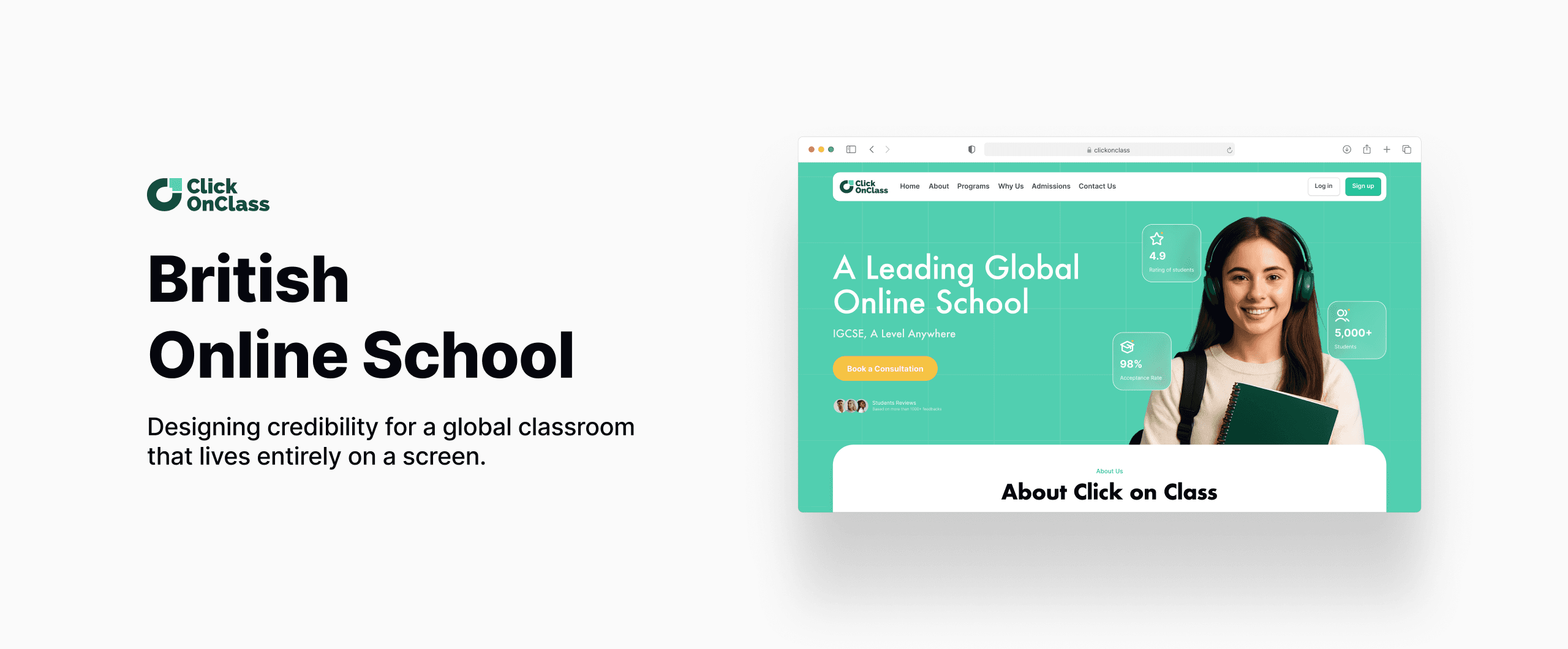
This hero introduces ClickOnClass as a leading global online school. The headline is direct, the student photo makes it human, and the stats around it highlight rating, acceptance rate, and total students. A clear button invites parents to book a consultation.
The “About ClickOnClass” block just under the hero explains the school in one paragraph and backs it with icons for live interactive classes, flexible schedules, bilingual support, LMS dashboard, and university guidance. It sets the tone that this is not just video lessons, it is a full academic experience.
**
Programs and benefits**
This section focuses on what the school actually offers. It shows each program as a card with a photo and short description, for example IGCSE core program or A and A Level program. Extra sections around it highlight reasons to choose ClickOnClass, such as qualified British teachers, flexible schedules, and ongoing feedback. The layout makes it easy for parents to connect their child’s situation to a specific program instead of guessing.
**
Enrollment flow and FAQ**
This part explains “How enrollment works” in four simple steps. Apply, meet a counselor, placement and onboarding, then start learning. Each step is visual and short, which removes a lot of uncertainty from the process.
Right below, the FAQ section answers common questions about accreditation, regions, live classes, and more. Together, these two pieces reduce friction for parents who are interested but still need clarity before committing.
Design constraints
1. Making an international school feel both serious and friendly
The brand had to feel credible enough for parents who care about accreditation and results, while still feeling approachable and modern for students.
2. Explaining complex programs in a simple way
IGCSE and A Level structures can be confusing. The challenge was to present programs in a way that looks complete but still easy to scan, without turning the page into a wall of curriculum jargon.
3. Showing proof without overwhelming the layout
There were many proof points: ratings, number of students, acceptance rate, teacher quality, testimonials. I had to decide which ones belong in the hero and which belong lower on the page so users do not get overwhelmed.
4. Designing a clear path to action
Parents can want different things. Some want to read everything, others just want to talk to someone. The challenge was to keep “Book a consultation” visible as the main action while still supporting users who want to explore details first.
5. Keeping visual consistency across very different modules
Hero, programs, benefits, enrollment, and FAQ all have different content types. I worked on consistent cards, rounded blocks, and typography so the whole page feels like one system.
Outcome
The ClickOnClass landing page gives the school a clear, modern digital front door. Parents can understand in a few seconds what the school is, what levels it covers, and why it is trusted. The mix of strong hero messaging, program cards, and a simple enrollment flow helps turn interest into a real conversation instead of losing visitors on the first scroll.
What I would do next
If this was live, I would monitor which sections parents interact with the most. For example, how many users scroll to the programs, how often they open the FAQ, and where they decide to book a consultation. Based on that, I would refine section order, test different hero messages, and create focused variants for specific grades or regions. I would also explore a mobile first version that keeps the same clarity on smaller screens, since many parents discover schools from their phones or through social links.